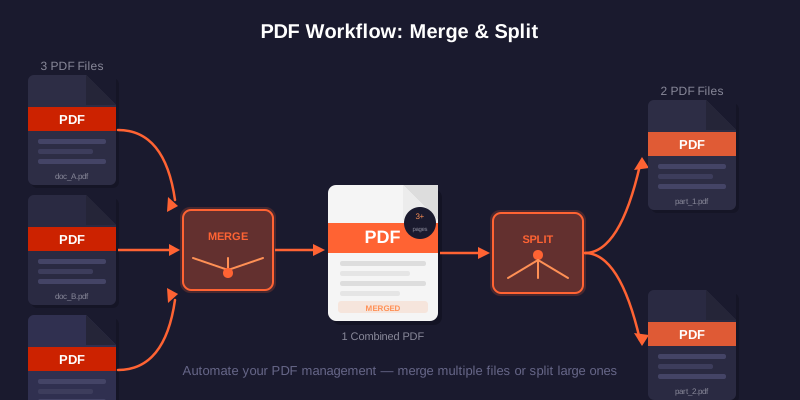
Merging PDFs is one of the most common document tasks — combining a cover letter with a CV, joining scanned pages into one file, or bundling receipts for a report. The biggest worry people have is simple: will my pages look worse after merging?
This tool copies selected pages without intentionally rendering them as images or recompressing their pictures. That avoids a deliberate resolution drop, but a rewritten PDF may not retain every interactive form, outline, link, annotation, signature or unusual font behavior. Keep the sources and verify important output.
How to merge PDFs free (step by step)
Open the Merge PDF tool and follow these steps:
- Click Add PDFs or drag your files onto the upload area.
- Drag the file cards to set the order you want them to appear.
- Tick the exact pages you need from each file (or keep all).
- Click Merge PDFs and download the combined file.
Pick pages and set the order
You rarely want every page from every file. PDFdukan shows a page grid for each PDF, so you can include only pages 1–3 from one document and the last page from another. This is perfect for assembling a single submission from several sources without exporting in between.
Order matters too. Recruiters and offices read top to bottom, so put the most important document first. If you need the opposite job — breaking one big PDF into parts — use the Split PDF tool instead.
Keep the merged file small (without hurting quality)
A merged file can get large if the source PDFs contain high-resolution scans. If the result is too big to email, run it through the Compress PDF tool after merging. Compression is a separate, optional step — so you stay in control of the quality-vs-size trade-off.
| Goal | Best approach |
|---|---|
| Maximum quality | Merge only — do not compress |
| Email attachment (under 25 MB) | Merge, then compress lightly |
| Web upload with strict KB limit | Merge, then compress to target size |
| Archive / printing | Merge only, keep originals too |
Mistakes to avoid
Keep your original files until you have checked the merged PDF. The combined file is generated as a new document and the source files are not modified by this workflow.
Frequently Asked Questions
Ready to merge?
Open the Merge PDF tool → — no account required; check the downloaded result before use.