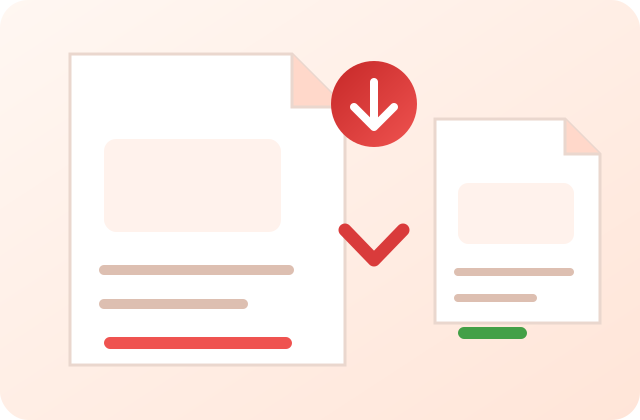
Reduce PDF file size by rasterising pages at your chosen quality tier. Processing runs in your browser; results and processing time vary by document and device.
Measured output, with the original retained when smaller
The tool rasterises each page, compares final bytes and keeps the original file when re-encoding would increase its size.
📂 Upload PDF
📄
Drop PDF here or click to browse
Accepts one .pdf file up to 200 MB; browser memory may impose a lower practical limit
Can I compress a PDF without changing quality? Not with this rasterising mode. It turns each page into a JPEG image, so selectable text and interactive structure are lost and visual detail can change. Choose a tier, inspect fine text, and keep the original.
PDFdukan's PDF Compressor attempts to reduce file size by rendering each page at the quality tier you choose. Results and processing time vary, and selectable text becomes part of the page image. The selected file is processed by client-side code; the page can still request ordinary site assets, analytics and third-party libraries.
This compressor processes the selected file with client-side PDF.js and PDF-lib code. Because each page is rasterized, selectable text, links, forms, annotations and accessibility structure may not survive. Keep the original file and inspect the result before submitting, printing or archiving it.
What This PDF Compressor Does
🔒 Local PDF Processing
The chosen PDF is processed by client-side PDF.js and PDF-lib code rather than sent to PDFdukan for compression.
⚡ Device-Dependent Speed
Processing time depends on page count, resolution, quality setting and available memory. Large scans can take longer or fail on phones.
📱 Responsive Interface
The controls adapt to phone and desktop widths. Large PDFs still need enough device memory and may fail on a phone.
🆓 No Account Required
The current compressor has no account requirement or paid checkout. Browser memory remains the practical file-size constraint.
How to Compress a PDF in 3 Easy Steps
Select your PDF — Click the upload area or drag and drop one local PDF file.
Choose compression level — Select the quality setting that matches your need. Use higher compression for email attachments, lower compression for documents you'll print or archive.
Download and inspect — If the rasterised version is smaller, download it and check every important page. If it would be larger, the tool retains the original bytes.
When Should You Compress a PDF?
Email attachments: Gmail, Yahoo, and Outlook limit attachments to 25MB. Scanned documents often exceed this. Compress first, then attach.
University and job portals: Online application forms in Pakistan (HEC, FPSC, PPSC, bank job portals) typically cap uploads at 1–5MB. A compressed PDF ensures your application goes through.
WhatsApp and messaging apps: WhatsApp compresses documents automatically, sometimes degrading quality. Send a pre-compressed PDF to control the output quality yourself.
Website uploads: If you manage a website and upload PDFs — product catalogues, forms, reports — smaller files load faster and improve your Google PageSpeed score.
Shared drives and cloud storage: Smaller PDFs use less storage space in Google Drive, Dropbox, and OneDrive.
How Much Does PDF Compression Reduce File Size?
The reduction depends on the content of your PDF. Image-heavy pages often have more room to shrink, but the result depends on page complexity and the selected quality tier. An already optimized file may not shrink; in that case PDFdukan returns the original bytes instead of a larger replacement.
The tool shows the original and final file sizes after processing. Because pages are rasterized, review small text and graphics in the downloaded PDF before submitting or printing it.
Frequently Asked Questions
This tool renders each page as a JPEG image before rebuilding the PDF, so selectable text becomes part of the page image. Higher compression can reduce sharpness. Use the High Quality setting for printing or small text, and inspect the downloaded result before relying on it.
Results vary by page complexity, image content, and the selected quality level. Some files shrink substantially, while an already optimized PDF may not shrink at all. PDFdukan keeps the original bytes when its generated file would be larger.
No. PDFdukan uses client-side JavaScript (PDF.js and PDF-lib) to process the selected file inside your browser; the tool does not send the PDF to PDFdukan's server.
There is no enforced file-size limit, but available memory, page count, page dimensions, and browser limits determine what your device can process. Large files can be slow or fail, especially on phones.
The result is a standard PDF and can be printed in mainstream readers. Because pages are rasterized and may be lossy, inspect fine text and graphics before printing.
No. This tool does not ask for or bypass a PDF password. Open the file with software that is authorized to decrypt it and save an unprotected copy before compression. PDFdukan's Restriction Check only re-saves supported unencrypted PDFs; it is not a password-removal tool.
Yes. The output is a standard PDF produced by PDF-lib and should open in current mainstream PDF readers. If a particular reader has trouble, try the original file or another current reader.
PDFdukan performs this compression in your browser and does not require an account. Other services may use different processing methods, plans, or limits; check their current privacy and pricing pages when comparing them.
Yes. PDFdukan is free with no subscription, no per-file fee, no credit card required, and no limit on how many files you compress. There is currently no paid tier for this tool.
Yes. PDFdukan works on any Android or iPhone browser — Chrome, Samsung Internet, Safari, Firefox. It is especially useful for students and job seekers in Pakistan who need to compress PDFs for PPSC, FPSC, NTS, and university portals that have strict file-size limits. No app download is needed.
Currently the tool processes one PDF at a time. After compressing and downloading the first file, you can immediately upload and compress another. Batch compression for multiple files is on our roadmap. For now, the Merge PDF tool can combine multiple PDFs first, then you can compress the merged result.
Welcome back
Connect Google Drive to save selected outputs to your own Drive storage. Review the destination before uploading sensitive documents.