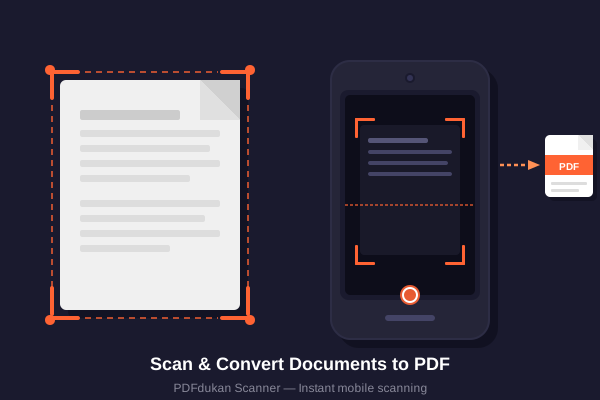
PDFdukan provides browser-based document tools. CamMaster is our scanner for receipts and documents: crop photos, enhance readability, and export them as PDF or JPG without installing an app.
✨
Document Enhancement
CamMaster can reduce shadows, sharpen text, correct perspective, and provides manual adjustment when automatic detection needs help.
🎯
Assisted Corner Detection
An ONNX model and OpenCV.js fallback attempt to find the page; inspect and adjust all four corners.
🔒
Local Core Processing
Core scanning and PDF operations run in your browser. Optional services such as Google Drive are contacted only when you choose to use them.
☁️
Google Drive Integration
Sign in with Google to save documents directly to your own Drive — no extra storage needed.
⚡
No Core Upload Wait
Local processing avoids a core file-upload step. Actual speed depends on file size, page count, browser, and device.
📱
Works on All Devices
Mobile phones, tablets, laptops — CamMaster works on any device with a modern browser.
How to Scan Documents with CamMaster
Scanning with PDFdukan's CamMaster takes three simple steps. No technical skills needed.
1️⃣
Upload or Scan
Click "Smart Scan" to use your camera, or "Import" to upload existing images and PDFs from your device.
2️⃣
Detect, Check & Crop
Let CamMaster attempt the corners, correct the four handles, then compare the available readability filters.
3️⃣
Export & Verify
Download PDF, JPG or PNG output, or optionally save a selected result to a connected Google Drive account.
PDFdukan provides free-to-use online PDF and document tools that work in a modern browser. Convert images to PDF, merge or split PDFs, compress files, and extract text from scans with OCR. The CamMaster document scanner uses computer vision to detect document edges, correct perspective, and improve readability. Core tools state their supported formats, processing method, and limitations on their own pages. If you are choosing between scanner products, read our evidence-linked guide to the best CamScanner alternatives.
Why PDFdukan?
Looking for free PDF tools that just work? PDFdukan gives you a full document toolkit in one place. There is nothing to install and no account needed for the basics.
Our online document scanner turns phone photos into clean PDFs in seconds. The PDF tools let you merge, split, compress, and convert files fast. Most tools run right in your browser, so your files stay on your device.
Here is the best part: it is free. You get an online document scanner, OCR, image tools, and PDF converters with no installation needed. Whether you are a student, a worker, or a small business owner, PDFdukan helps you get document jobs done quickly and privately.
Frequently Asked Questions
Common questions about PDFdukan and CamMaster.
CamMaster is a free browser-based document scanner by PDFdukan. It attempts corner detection, lets you correct the crop, compare readability filters, and export PDF or image output without installing an app. Results depend on the source photo and should be inspected.
The basic scanning, PDF conversion, OCR, merging, splitting, and image-compression features listed on PDFdukan are currently available without payment or a credit card.
Core PDF and scanning operations identified as local on their tool pages run in your browser. Optional connected services, such as saving to Google Drive, communicate with that service only when you choose to use them.
Sign-in is optional for the listed basic tools. Connecting Google Drive lets you save selected outputs to your account; the requested drive.file scope is intended for files the app creates or that you explicitly open with it. Review the destination before saving sensitive documents.
CamMaster attempts an ONNX corner model with an OpenCV.js fallback. Results vary with lighting, contrast, background and camera angle, so inspect and manually adjust all four corners.
CamMaster accepts supported JPG, JPEG, PNG, WebP and PDF input. It can export PDF, JPG, PNG or a ZIP for multiple images; exact options and practical limits are shown in the scanner.
Welcome back
Connect Google Drive to save selected outputs to your own Drive storage. Review the destination before uploading sensitive documents.