Unlock PDF Without Password Online Free
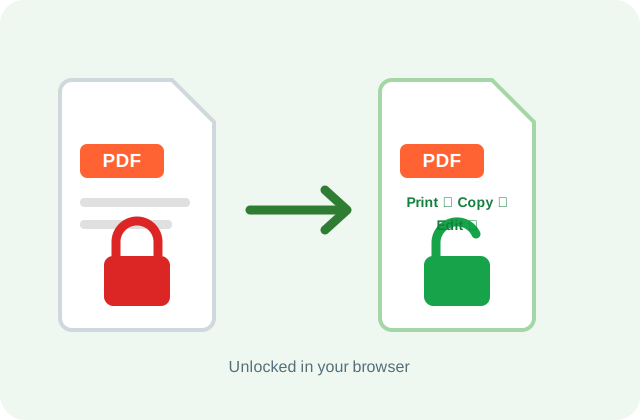
Remove print, copy and edit restrictions in seconds. Files that need a password to open unlock when you enter it.
Free · No sign-up · No upload · Up to 20 PDFs at once
Only unlock PDFs you own or have permission to change.
Can You Unlock a PDF Without the Password?
Yes, if the PDF only has a permissions password. PDFdukan lets you unlock a PDF without a password online for free by removing print, copy and edit locks in your browser. A PDF that asks for a password to open still needs it.
How Do I Unlock a PDF Without a Password Online Free?
- Add your PDFs. Tap Choose PDF or drop up to 20 files.
- Let it run. Restriction-only files unlock on their own.
- Type a password if asked. Enter the open password and tap Unlock.
- Save the copies. Tap Download or Download all (ZIP).
What Does PDFdukan Remove?
Print, copy and edit locks
Any reader then lets you print, copy text, comment and fill forms.
The open password
Enter it once; the saved copy opens freely.
A list of what changed
Each file lists the locks removed, such as Printing.
Checked before download
Each copy is reopened and its pages counted first.
Which Files and Limits Apply?
| Item | Details |
|---|---|
| Input | PDF, up to 100 MB each, 20 per batch |
| Encryption | RC4 40-bit and 128-bit, AES 128-bit and 256-bit |
| Output | Unlocked PDF, or a ZIP for several |
| Cost | Free, no sign-up, no watermark |
What Are the Two Kinds of PDF Password?
The PDF standard, ISO 32000-2, defines two. A permissions (owner) password lets anyone open the file but blocks printing, copying or editing; this is what PDFdukan removes without a password. A document open (user) password encrypts the pages themselves, so it's needed once. Adobe's Acrobat guide explains both settings.
Is My PDF Uploaded?
No. PDFdukan runs the open-source qpdf engine (the same tool many Linux systems use) inside your browser tab, so files and passwords stay on your device.
What Can't This PDF Unlocker Do?
PDFdukan doesn't crack open passwords or open certificate-locked files, and unlocking breaks digital signatures. To see what a file blocks, run a PDF restriction check.
Frequently Asked Questions
Yes, when the PDF opens but blocks printing, copying or editing. No account is needed.
The author set a permissions password. Unlocking clears it.
No. Without it the pages stay encrypted, so ask the sender for an unlocked copy.
No. Only the encryption is removed.
Yes. Add up to 20 files, then tap Download all (ZIP).
Only files you own or may change, like your own bank statements.