HTML to PDF Converter
Paste HTML or upload a saved web page and get a clean, paginated PDF. Everything runs in your browser.
Free · No sign-up · No watermark · Files never leave your device
Saved a page with Ctrl+S? so the pictures come along.
Your browser loads the page directly. Most websites block other sites from reading them; if yours does, you will see a two-step workaround here.
Download PDF keeps the exact look and clickable links, with each page saved as a sharp image. For text you can select and search, use Print to PDF and choose “Save as PDF”.
What Is an HTML to PDF Converter?
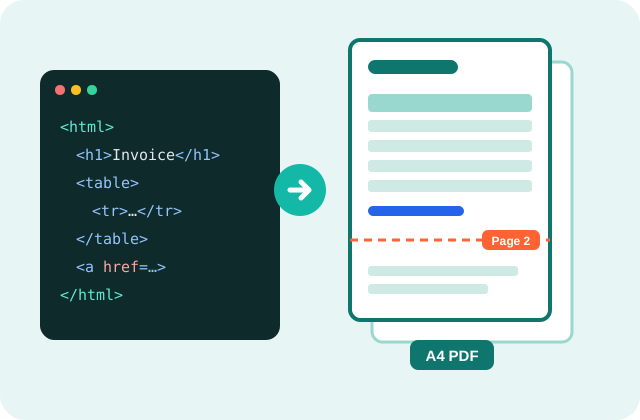
An HTML to PDF converter turns web code or a saved web page into a PDF that looks the same on every screen and printer. PDFdukan does it inside your browser for free, with no sign-up, no watermark and no upload.
How Do I Convert HTML to PDF?
- Add the HTML. Paste code, or upload an .html file with its CSS and images.
- Pick the page. Choose size, orientation, margins and layout width.
- Check the preview. Orange lines show where each page ends.
- Download. Tap Download PDF.
What Makes These PDFs Better?
Smart page breaks
Lines, images and table rows aren't cut in half, and headings stay with their text.
Your CSS and fonts
Upload the folder or a .zip and styles, pictures and custom fonts load.
Links still work
Web, email and in-page links stay clickable in the PDF.
Your page breaks
CSS break-before: page starts a new page, just like printing.
Which Files and Limits Apply?
| Item | Details |
|---|---|
| Input | Pasted HTML, .html files, a folder or a .zip |
| Pages | A4, Letter, Legal, A3, A5; portrait or landscape |
| Several files | Converted together into one ZIP |
| Cost | Free, no account, no daily limit |
Can I Convert a Web Page by URL?
Only if the website allows it; most don't. Otherwise save the page with Ctrl+S as “Webpage, Complete” and upload it here.
Is My HTML Uploaded?
No. Your code and files stay in your tab. Pages are drawn with the open-source html2canvas and saved with jsPDF, and scripts inside your HTML are never run.
What Are the Honest Limits?
Download PDF saves each page as a sharp image, so text can't be selected. For selectable text, use Print to PDF. Pictures from other websites only appear if that site allows it, and pages that build content with JavaScript show only their HTML.
Frequently Asked Questions
Yes. It's free with no sign-up, no watermark and no file limit.
Yes. Inline styles, style blocks and uploaded CSS files are applied, including custom fonts.
Yes. Pick A4, Letter, Legal, A3 or A5, in portrait or landscape, with your own margins.
Not with Download PDF, which saves images. Use Print to PDF for selectable text.
Yes. Right-to-left text keeps its joined letters because the page is drawn by your browser.