Crop PDF Online for Free
Trim white margins automatically or draw your own crop box, on every page or just a few. You get a new PDF with sharp text.
Free · No sign-up · No watermark · Your PDF stays in your browser
Upload PDF
This PDF is password-protected. Enter its password to open it.
The password is used only in this tab. It is not saved or sent anywhere.
Cropped PDF ready
The parts outside the box are hidden, not deleted. Don’t use cropping to hide private details.
Select & rotate the area to crop
Use 🔍 zoom to enlarge a big map for precise selection, and ➕ Add crop to cut several regions from the same page at once.
What Does the Crop PDF Tool Do?
PDFdukan's Crop PDF tool lets you crop PDF online free in your browser. It removes white margins automatically or uses a box you draw, then saves a new PDF. Pages are not redrawn, so you crop PDF without losing quality.
Text stays selectable, and links, form fields and bookmarks stay in place.
How Do I Crop PDF Online Free?
To crop PDF pages online, follow four steps:
- Add your PDF. Tap Choose PDF or drop a file.
- Pick a method. Remove white margins, or Draw crop box to drag or type inches.
- Choose pages. All pages, This page only, or a range like 2-5.
- Crop and save. Tap Crop PDF, then Download PDF.
What Else Can You Do?
Three extras:
Trim off-white scans
Gray paper or a thin dark scanner edge still gets trimmed.
Match page sizes
Keep all pages the same size gives same-size pages one shared box.
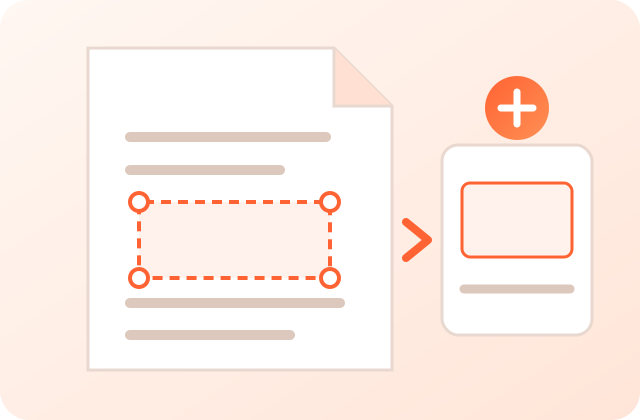
Crop an area to image
Save part of a page, like a map, as an image. For whole pages, use PDF to Image Converter.
What Goes In and What Comes Out?
Both modes at a glance:
| Item | Crop PDF pages | Crop an area to image |
|---|---|---|
| Input | One PDF up to 200 MB | Same |
| Output | PDF with text kept | JPG, PNG, WebP or ZIP |
| Pages | All, one or a range | One page at a time |
When Is Cropping a PDF Useful?
For example:
- Make a paper or ebook easier to read on a phone.
- Cut the scanner border off a W-2 before you email it.
How Do I Get a Clean Crop?
Check pages with Prev and Next. If a footer gets cut, pick Medium.
Is My PDF Uploaded?
No. Crop PDF works in your browser tab with the open-source pdf-lib library; the file never reaches a PDFdukan server. The page still loads analytics and ads.
What Cropping Doesn’t Do
Cropping hides the outside area; it doesn’t delete it. Password-locked PDFs need Unlock PDF before saving a crop.
Frequently Asked Questions
Yes. PDFdukan’s Crop PDF tool is free, with no account and no watermark.
Choose Remove white margins, then tap Crop PDF.
No. Only the page box changes; text and images are not redrawn.
Yes. Pick This page only.
Yes. Crop PDF works in Safari or Chrome on iPhone and Android.
No. It is hidden, so don’t use cropping to hide private details.
Welcome back
Connect Google Drive to save selected outputs to your own Drive storage. Review the destination before uploading sensitive documents.
No account? Sign Up free