Add Watermark to PDF Online Free
Stamp custom text or your logo on every page or chosen pages, with a live preview of the exact result.
Free · No sign-up · No upload · No extra logo added
How Do You Add a Watermark to a PDF Online Free?
To add a watermark to a PDF online free, open PDFdukan's watermark tool, type your text or choose a logo, pick a position, angle and opacity, then tap Add watermark. The file is stamped in your browser, and no extra logo is added.
A live preview shows the exact page you'll download, so you can check the mark before saving. PDFdukan keeps your last settings, so the next file takes one click.
How Do I Add a Custom Text Watermark to a PDF?
Five steps, on a phone or a computer:
- Add your PDFs. Tap Choose PDF or drop up to 20 files at once.
- Write the mark. Type CONFIDENTIAL, DRAFT or your name, then set font, size and color.
- Place it. Pick one of nine spots, or tick Tile across the page for a repeated pattern.
- Fine-tune. Set rotation and opacity, choose the pages, and check the preview.
- Save it. Tap Add watermark; one file downloads, several come as a ZIP.
What Can You Change on Each Watermark?
Each option shows in the preview first:
Text in any language
Urdu and Arabic marks come out as real letters, not boxes or errors.
Logo or signature image
Use PNG, JPG, WebP, SVG or GIF; transparent PNG logos blend best.
Behind the content
Put the mark under the text so every word stays readable.
Only the pages you need
Choose all, first, odd, even or a range like 1-3, 7.
Upright on turned pages
Landscape and rotated pages get the mark the right way up.
Batch files
The same watermark goes on up to 20 PDFs in one run.
Which Files and Limits Apply?
PDFdukan sets these limits for each session:
| Item | Details |
|---|---|
| PDF input | Up to 200 MB each, 20 files per batch |
| Image watermark | PNG, JPG, WebP, SVG, GIF |
| Rotation | Any angle from −180° to 180° |
| Opacity | 5% to 100% |
| Output | PDF, or one ZIP for several files |
| Cost | Free, no sign-up, no added branding |
Who Watermarks PDFs and Why?
- Real estate agents marking draft purchase agreements before a signing
- Teachers stamping answer keys so copies are easy to trace
- Photographers and designers tiling a name over client proofs
- HR teams labeling offer letters CONFIDENTIAL before emailing them
How Do You Make a Watermark Clear but Not Distracting?
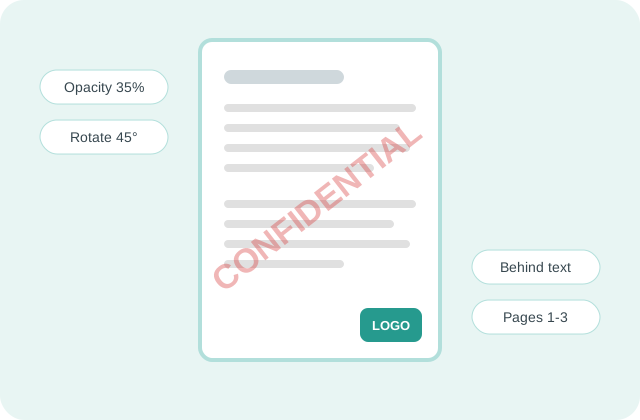
Keep text marks between 20% and 35% opacity at 45°, so they read from across a desk but never hide a number. For proofs, tile a smaller mark with wide spacing. Put logos behind the content, because a mark on top of a signature line can make a contract hard to read.
Is My PDF Uploaded When I Add a Watermark?
No. PDFdukan reads pages with Mozilla's pdf.js and writes the watermark with pdf-lib, both inside your browser tab. Your PDFs and logo never reach our server.
What Can't This Watermark Tool Do?
A watermark is added as page content, not locked in, so someone with a full PDF editor could remove it. Marks placed behind the content can disappear under scanned pages with a solid background. PDFs locked against changes need Unlock PDF first.
Frequently Asked Questions
Yes. PDFdukan adds text or image watermarks free, with no sign-up, no page cap and no extra logo on your pages.
Leave Pages set to All pages. The mark goes on each page in the same spot, including landscape pages.
Yes. Switch to Image, tap Choose image and pick your logo. Set its width as a share of the page, from 5% to 100%.
Lower the Opacity slider. Around 25% keeps text below the mark easy to read.
Yes. Under Pages, pick first page, odd, even or Custom range, then type pages like 2-5, 9.
No. The original pages are kept as they are; the mark is added on top or underneath.
Yes. Add up to 20 PDFs, tap Add watermark, then use Download all (ZIP).