PDF to Word Converter Online — Editable, OCR & Free
Turn digital or scanned PDFs into editable Word (.docx) files. Built-in OCR reads scans in 37 languages, and your PDF never leaves your device.
Free · No sign-up · No upload · Works on phone and desktop
Add a PDF
Options: OCR language, layout, pages
Your Word file is ready
How Does This PDF to Word Converter Online Work?
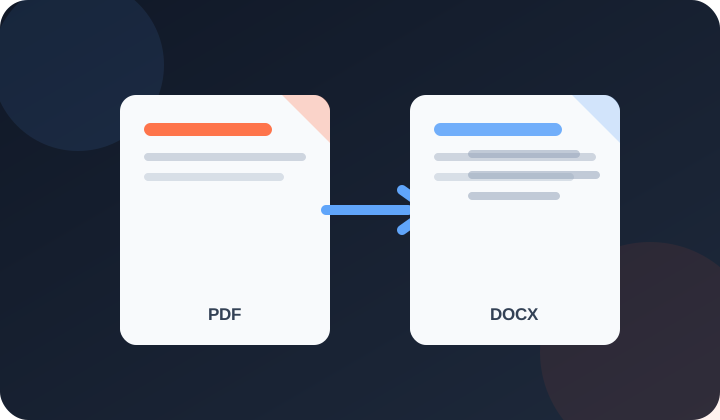
PDFdukan's PDF to Word converter online turns any PDF into an editable .docx file for free. Digital pages keep their text, headings, bold and italic, tables, images and links. Scanned pages are read with built-in OCR, so a photographed contract or receipt becomes text you can type over.
Two-column pages are read one column at a time, and broken lines are joined into real paragraphs you can edit.
How Do I Convert a PDF to Editable Word?
Four steps take your PDF to a .docx for Word or Google Docs:
- Add your PDF. Click Choose PDF; conversion starts at once. A locked file asks for its password.
- Wait a moment. Scanned pages take longer while OCR reads them in your browser.
- Download. Click Download Word (.docx), name the file and check its numbers.
- Adjust if needed. Open Options to pick the Document language or Exact layout, then click Convert again.
What Does the Converter Keep From Your PDF?
Each part becomes a normal Word element:
OCR for scanned pages
Pages with no text layer are read in 37 languages, including Urdu and Arabic set right to left.
Columns in reading order
Research papers are read down the left column first, then the right.
Paragraphs and headings
Split words are rejoined, and larger text becomes Word headings.
Colors, tables and images
Text colors, highlights, table borders and cell colors carry over; photos, signatures and charts stay as pictures.
Which Files and Limits Does It Support?
These limits apply to each conversion run:
| Item | Details |
|---|---|
| Input | One PDF, digital or scanned, up to 100 MB |
| Locked PDFs | Open after you type the password |
| Output | Word .docx, plain TXT or copied text |
| Pages | Up to 300 per run; up to 50 read with OCR |
Who Uses a Free PDF to Word Converter?
Common jobs include:
- Tenants editing a scanned lease renewal before signing
- Students quoting tables from a two-column journal article
- Office staff updating last year's invoice instead of retyping it
How Do You Get the Cleanest Word File?
Scan at 300 DPI and keep the page straight, as OCR misreads blurry text. If Word shows strange symbols, convert again with OCR every page. For long reports, cut out the pages you need with Extract PDF Pages.
Is My PDF Uploaded During Conversion?
No. PDFdukan reads the PDF, runs OCR and builds the .docx in your browser. The first scan downloads the open-source Tesseract OCR engine from a public CDN; your file is not sent to us.
What Can't This PDF to Word Tool Do?
Automatic mode keeps invoices, forms and designed pages in their exact layout, with the boxes and lines as a background picture and the words as editable text on top. Other pages become flowing paragraphs, where columns turn into one column. Form fields are not kept. For text from a photo, use Image to Text OCR.
Frequently Asked Questions
Yes. PDFdukan is free, with no sign-up, daily cap or watermark, and OCR text in the .docx is fully editable.
Yes. Leave OCR on Auto and choose the language. Our scanned lease and receipt test scored a confidence estimate of about 95%.
Yes, typed or scanned; Word paragraphs are set right to left. Nastaleeq fonts like Jameel Noori are read with OCR, which misreads more words, so proofread.
Yes, if you know the password. Type it and click Unlock PDF; without it, the PDF cannot be read.
Edit the .docx, then add it to Word to PDF for a new PDF with your changes.
Welcome back
Connect Google Drive to save selected outputs to your own Drive storage. Review the destination before uploading sensitive documents.
No account? Sign Up free