PDF to Word Converter
Extract PDF content into a Word-compatible document for further editing. Runs entirely in your browser — no files are uploaded.
Upload PDF File
Convert PDF to Word Online — Free, Editable & Private
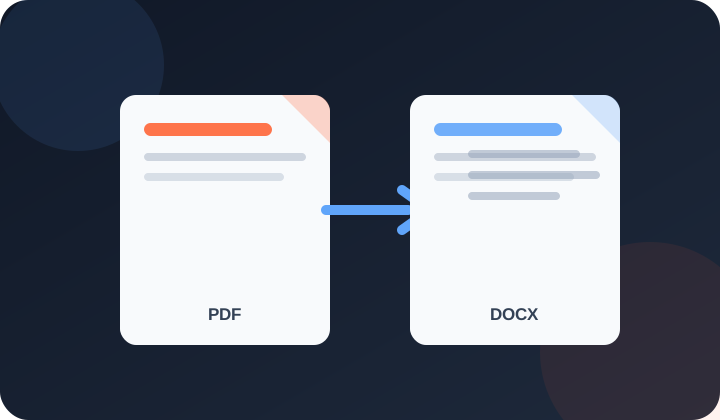
PDFdukan's PDF to Word converter extracts content from supported digital PDFs into a Word-compatible (.docx) document. It attempts to rebuild paragraphs, basic formatting, tables, and detected images, but complex layouts, custom fonts, and scanned pages may require OCR or manual correction. Core conversion is client-side rather than sending the selected PDF to PDFdukan; the page can still load normal site assets, analytics and third-party libraries.
PDF files store positioned page content rather than Word's original document structure. This converter reconstructs an editable starting point where possible; inspect every important paragraph, table, image, font and page break before relying on the DOCX.
Why Use PDFdukan PDF to Word Converter?
The selected PDF is processed in the browser rather than submitted to PDFdukan for conversion. Normal page assets and analytics can still load.
The result is a DOCX file, not a plain-text dump. Supported styling, inferred tables and extractable images are attempted and may need cleanup.
Conversion starts on your device after selection. Processing time varies with page count, layout complexity, embedded images and available memory.
No subscription or account is currently required. Browser memory and document complexity set practical limits.
How to Convert PDF to Word in 3 Steps
- Upload your PDF — Click the upload area or drag and drop your PDF file. The file loads directly into your browser.
- Wait a few seconds — The tool reads each page, extracts text with its formatting, and rebuilds the content as a Word document.
- Download your .docx file — Click Download and open the file in Microsoft Word, Google Docs, or any word processor to start editing.
Common Uses for PDF to Word Conversion
- Editing contracts and agreements: Received a contract as PDF and need to propose changes? Convert it to Word, edit with tracked changes, and send it back.
- Updating CVs and resumes: If you only have your old CV as a PDF, convert it to Word to update your experience and skills without rebuilding from scratch.
- Reusing old reports: Extract content from old PDF reports to use in new documents instead of retyping.
- Fixing form data: Convert a filled PDF form to Word to correct details before resubmitting.
- Academic work: Students can convert lecture notes and study material PDFs into editable documents for annotation and summarising.
Frequently Asked Questions
Digitally created PDFs with simple, single-column layouts give the best results. The tool reconstructs text, basic styling, inferred tables, and extractable images, but PDF files do not store Word structure. Expect cleanup for columns, unusual fonts, forms, or designed layouts.
Scanned PDFs contain images of text, not actual text. For these, use the OCR tool first — it reads the text from the scan using optical character recognition. Then paste the extracted text into Word. The PDF to Word converter works best on PDFs where you can select text with your cursor.
The tool infers tables from aligned text and tries to extract supported embedded images. These are heuristics: borderless, merged, nested, or irregular tables and some image types may be missed or need manual cleanup.
Core conversion runs with client-side JavaScript rather than sending the selected PDF to PDFdukan for conversion. The page can still request normal site assets, analytics and third-party libraries.
Yes. The output is a standard .docx file. Upload it to Google Drive and open with Google Docs, or open it in Microsoft Word, LibreOffice Writer, or WPS Office. All major word processors support the format.
There is no enforced page limit; browser memory, PDF complexity, and embedded images determine the practical limit.
PDFdukan currently offers this conversion without a subscription, credit card or account. Browser memory and file complexity still set practical limits.
PDFdukan runs this conversion locally in the browser and is free to use. Different converters use different layout-reconstruction methods; compare results on your own document before choosing one.
Yes. Open PDFdukan in any phone browser — Chrome, Safari, Samsung Internet — upload your PDF, and download the Word file straight to your phone. No app needed.
Welcome back
Connect Google Drive to save selected outputs to your own Drive storage. Review the destination before uploading sensitive documents.
No account? Sign Up free